
Advertisement
Click to download now, finish the installation quickly, and directly unlock the all-round experience
Advertisement
Screenshots
Click to download now, finish the installation quickly, and directly unlock the all-round experience
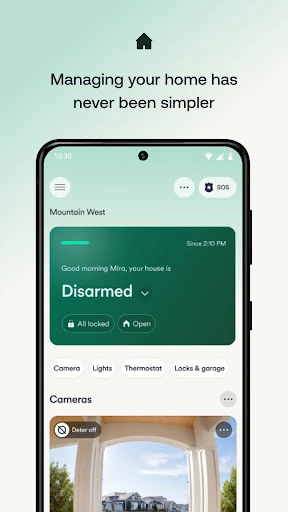
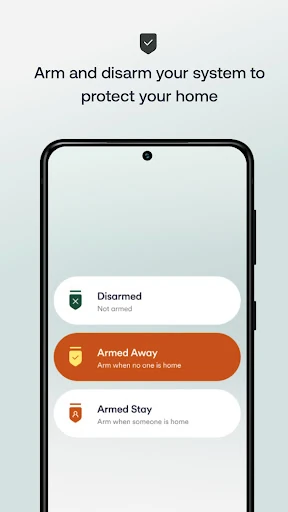
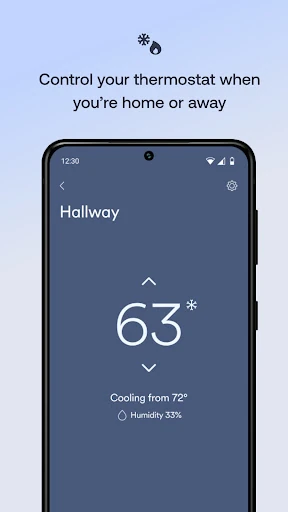
Vivint lets customers manage a compatible Vivint home system from a phone: arm or disarm security, check cameras, adjust the thermostat, and control connected locks, lights, and the garage door. It suits households that already use Vivint equipment and want one place to check on the home, rather than switching between separate security and smart-home apps.
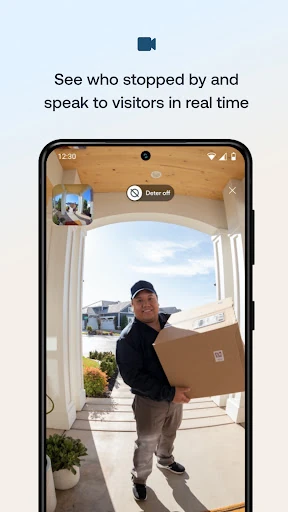
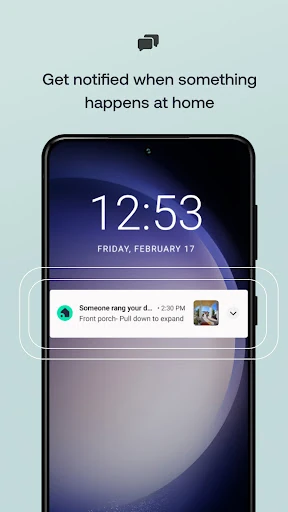
The app can show live camera feeds and recorded events, and lets you view and speak with visitors at the doorbell. You can also lock or unlock doors, change the temperature, and set schedules for lights. Alerts can flag events such as a package delivery, activity detected by a camera, or a garage door left open. Which controls are available depends on the Vivint devices and service in the home.
The case for Vivint is coordination: security, cameras, access, and energy controls sit within one system. That is useful if you want to check a door or camera while managing the alarm, or adjust a thermostat while away. The trade-off is that this is not a general-purpose app for controlling any smart-home setup. It is intended for a Vivint system, and using it requires Vivint equipment and a service subscription.
Vivint is a sensible choice for existing Vivint customers who want remote access to their system’s main controls and alerts. It is less relevant if you only need a camera viewer, thermostat control, or a standalone security app. The listing shows a 4.33 rating from about 149,000 reviews and more than 1 million installs. Those figures offer a broad snapshot of user response, but the practical fit still depends on owning the required Vivint system.